
iPhone Duo
Block Beat for iPhone Duo.
Open the foldable iPhone and Block Beat uses both halves of the inner display. The board and your pieces sit on one side of the fold. The score screen, the song that's playing and Undo sit on the other.
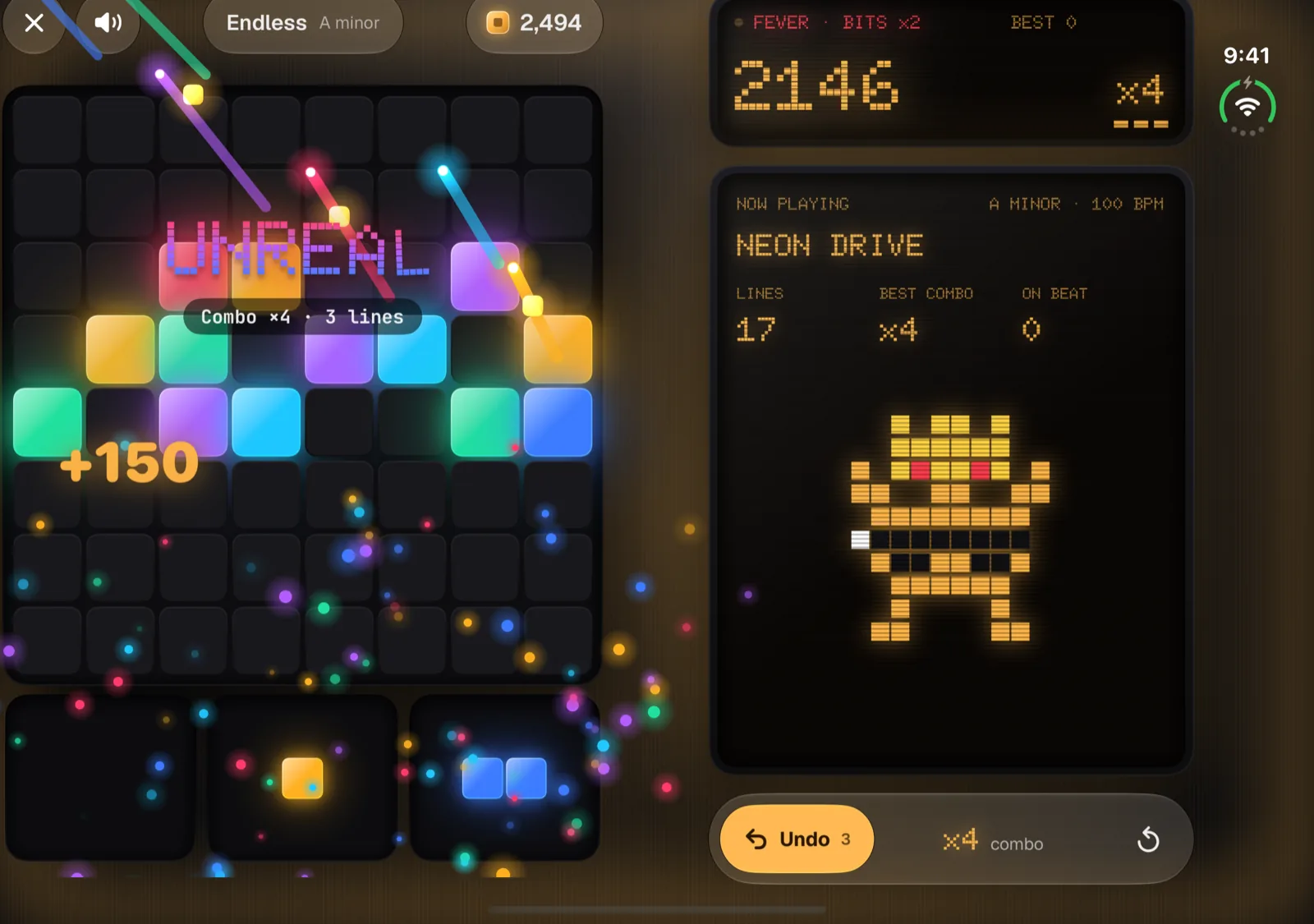
The inner display
Every main screen, split at the fold.
On the Duo's inner display, Block Beat lays out each main screen as two panes, one on each side of the fold. The fold runs between them.
One side
The board
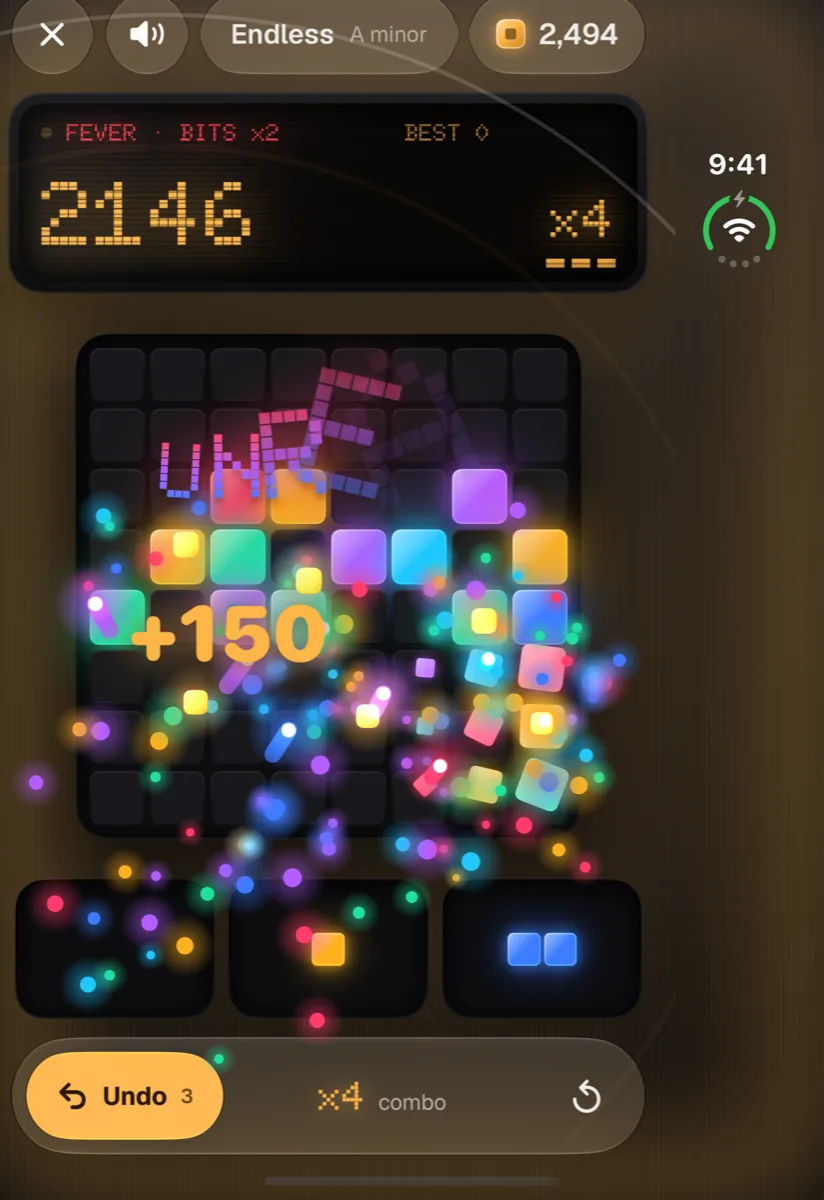
The 8×8 board, the three pieces in your tray and the bar with Close, sound and your Bits. Every drag starts and ends here.
The other side
The song
The score screen and your combo, then a now playing panel with the song, its key and tempo, your lines, best combo and on-beat count, and Blip reacting to the run. Undo sits at the bottom.
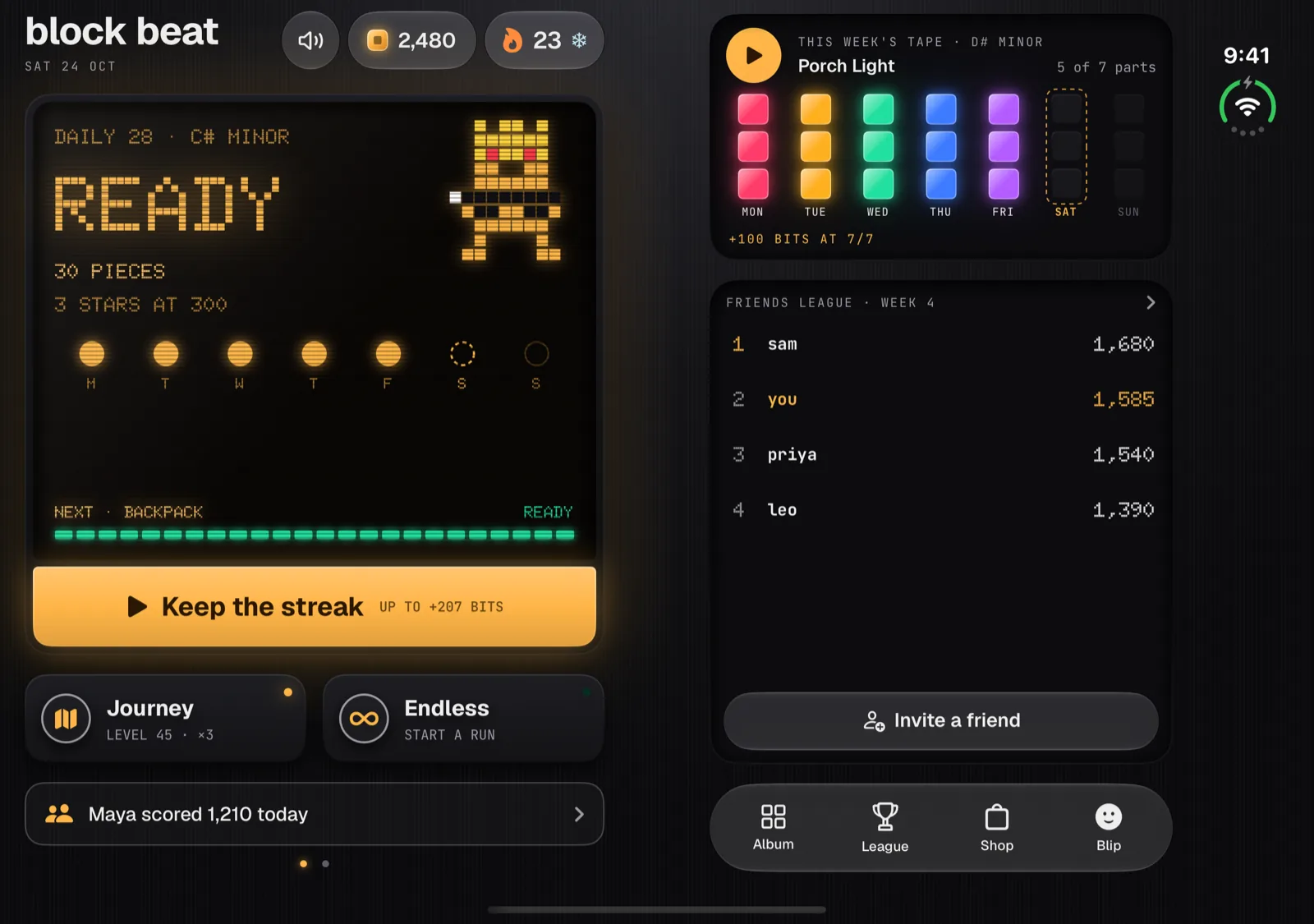
Home
Today on one side, your week on the other.
Today's puzzle, the mode keys and the status line sit on the left. This week's tape, a glance at your friends league and the four-place bar sit on the right.
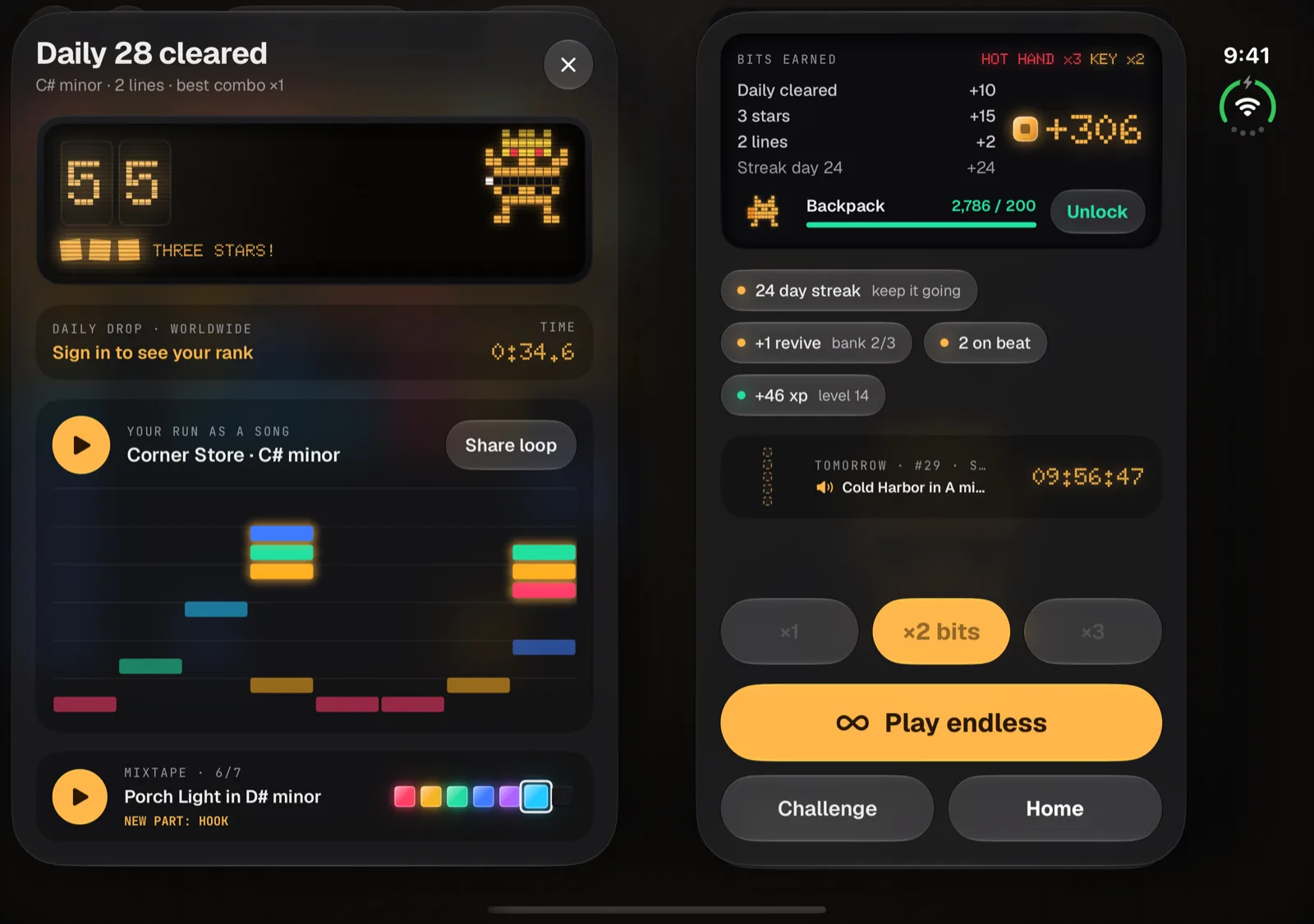
Results
Your run, drawn as a song.
Your score, your Daily Drop rank and the run itself drawn as a large piano roll you can play and share, with this week's mixtape below. Your rewards, tomorrow's teaser and the keys to play on sit beside it.
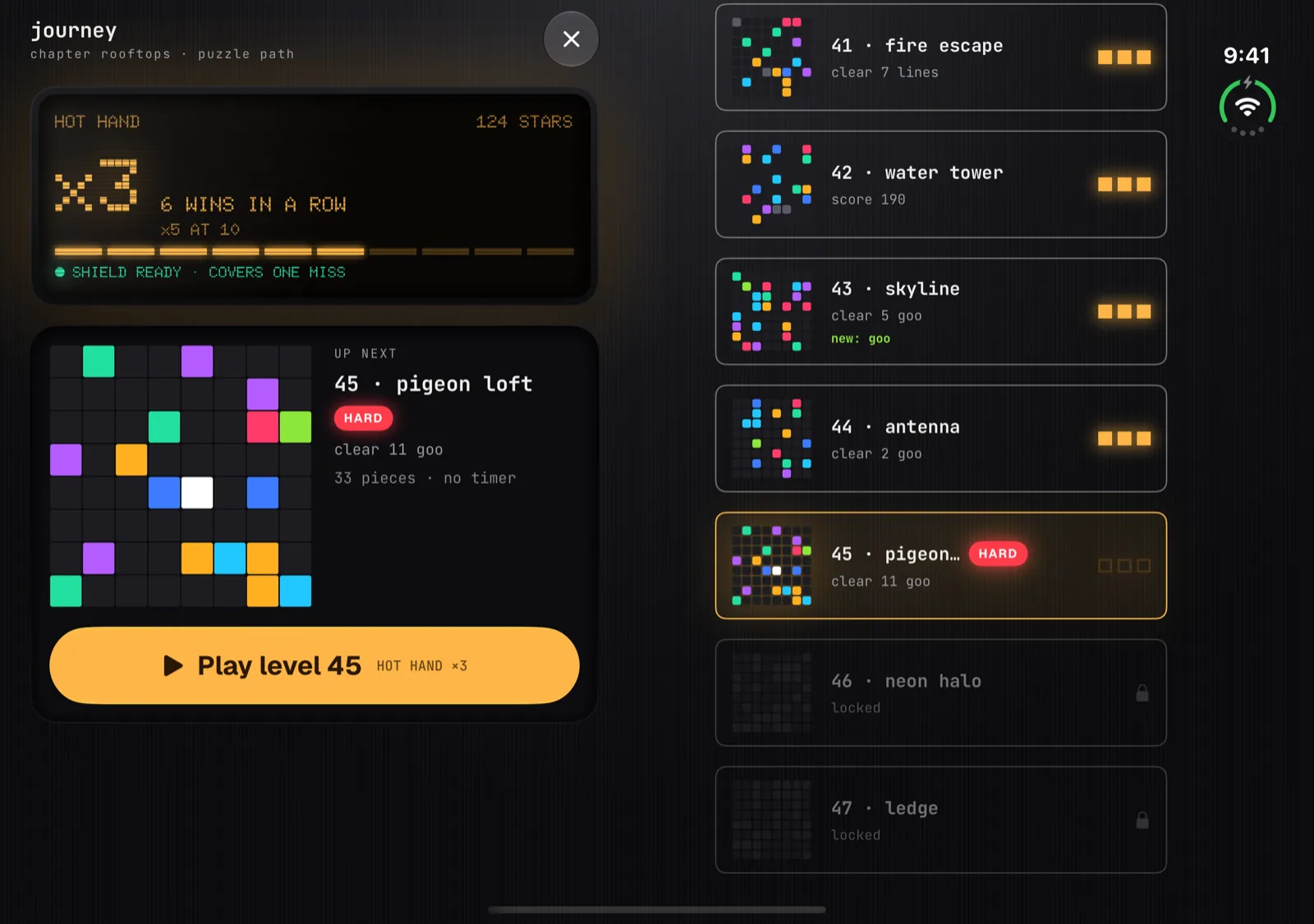
Journey
See the next board before you play it.
Your Hot Hand and a big preview of the next level's board, with its goal and a Play key, sit on one side. The level path scrolls on the other.
The outer display
Closed, it's the Block Beat you know.
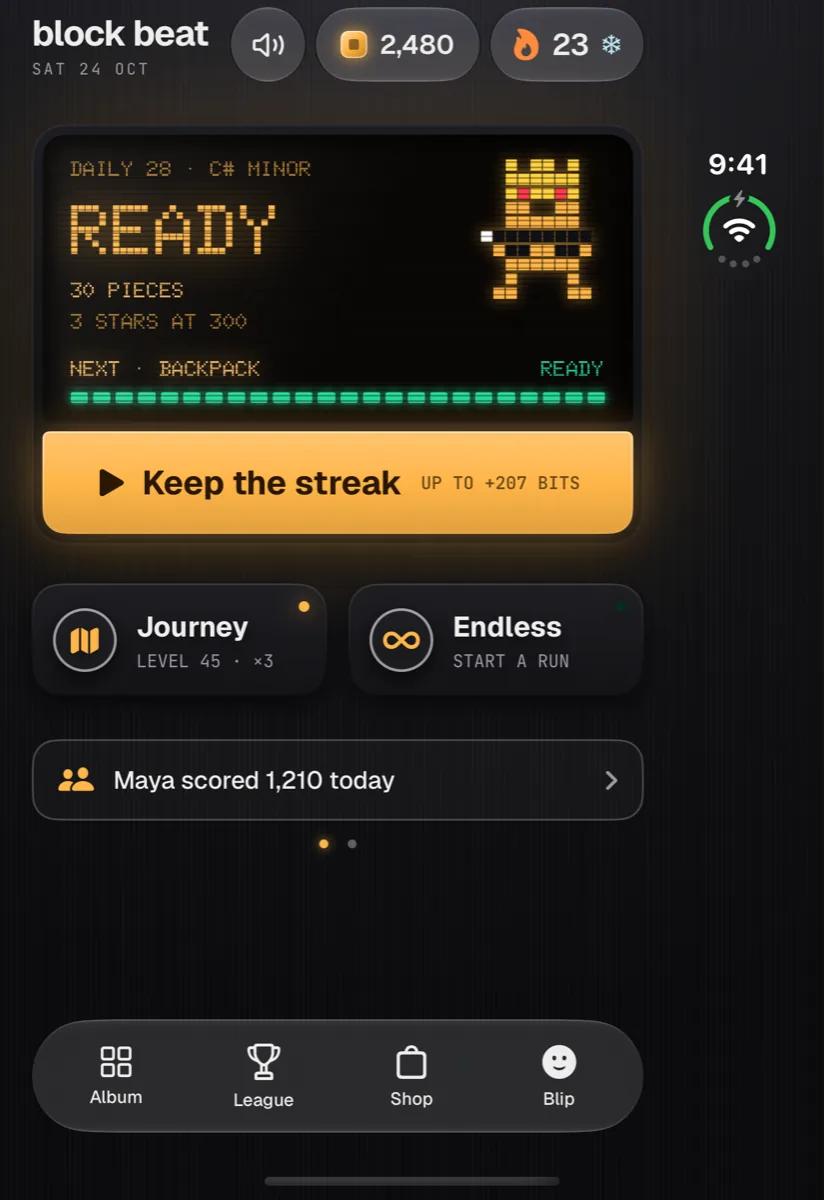
Fold the Duo shut and the outer display gets the same one-column layout as every other iPhone: score screen, board, pieces and Undo from top to bottom. Nothing changes on iPhones that don't fold.
Every pose
However you hold it.
Open flat
Two panes
The board on one side of the fold, the score and the song on the other.
Half open
Like a book
The same two panes as when it lies flat.
Laptop
Board on the flat half
The board and your pieces move to the half that lies flat. The score screen and Undo sit on the half that stands up.
Open, upright
One bigger column
A single column with a larger board than on a regular iPhone.
Closed
The phone layout
The outer display plays it like any other iPhone.
The rest of the game
Same puzzle. Same song.
The Duo layout changes where things sit, not how Block Beat plays. One daily puzzle for everyone, a new song every day, endless Journey levels and Blip, all free.
FAQ
iPhone Duo questions.
Does Block Beat work on iPhone Duo?
Yes. Block Beat is built for iPhone Duo. On the inner display every main screen splits into two panes, one on each side of the fold. On the closed outer display it uses the same one-column layout as other iPhones. Block Beat is coming soon to the App Store, and the iPhone Duo layout is part of version 1.0.1.
What changes when I unfold it?
The game, the home screen, your results and the Journey each become two panes. In a game, the board and your pieces sit on one side and the score screen, the song that's playing and Undo sit on the other. Home puts today's puzzle on one side and this week's tape and your friends league on the other.
Will I ever have to drag a piece across the fold?
No. The board and the three pieces in your tray always share a pane, so every drag starts and ends on the same side of the fold.
Does it work when the Duo is closed?
Yes. On the outer display Block Beat uses the same one-column layout as on every other iPhone, with the board, your pieces and Undo stacked top to bottom and the four-place bar along the bottom of the home screen.
What about laptop pose, or holding it half open?
Half open like a book, you get the same two panes as when it's flat. In laptop pose the board and your pieces move to the half that lies flat, and the score screen and Undo sit on the half that stands up.
Can I play with the Duo open and held upright?
Yes. Turned upright, the inner display shows one column with a larger board than you get on a regular iPhone.
Is the iPhone Duo version a separate app, or does it cost extra?
It's the same app. Block Beat is free on every iPhone, with no ads and nothing to buy, and nothing changes on iPhones that don't fold.
Coming soon to iPhone and iPhone Duo
Unfold the beat.
Block Beat is almost here, with the iPhone Duo layout built in. Free, no ads, nothing to buy.